Configuration
General#
Much of the configuration can be found on the island menu. Open the menu by typing /is or /is menu. It is one menu split into tabs: Settings, Permissions, Island Upgrades, Generator Upgrades and Biomes. /is settings, /is permissions, /is upgrades, /is generator and /is biome each open straight to their tab.
Every upgrade asks you to confirm before you are charged. If you would rather buy with one click, turn off Confirm Upgrade Purchases in the Skyblock tab of preferences.
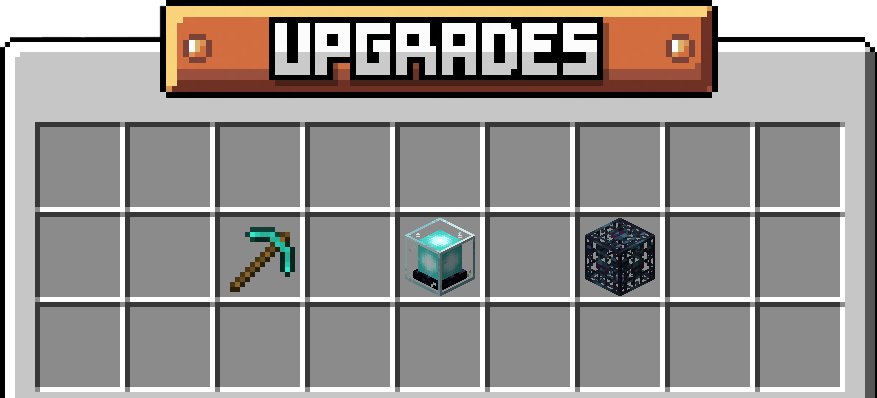
Upgrades#
Island Generator#
Your island generator can be upgraded to produce more of certain ores any time cobblestone is generated. Ore generation which can be increased include coal, copper, iron, gold, emerald, redstone, lapis, and diamond. Each generator can be upgraded by using either cobblestone or items and ingots of the ore being upgraded. This menu can also be opened using /is generator
Hovering over each item lists each generation's current level as well as what it will be after its next upgrade. It then lists the items players can use to unlock it. When a player left clicks the item with the required ore in their inventory, or alternatively right clicks with the required cobblestone amount, their items will be taken and the generator will be increased. allowing players to generate ore at the upgraded level.
Ore generation can be disabled by Shift Clicking the generator item, causing that ore to not spawn when cobblestone generates. It can be Shift Clicked again to be re-enabled.
The Generator tab also holds a Generator Stats book, which shows the real chance of each block your generator can produce at its current levels.
Island Size#
The size of your island can be upgraded as you progress to allow you to expand on your island, farms and builds. Upgrades will cost in-game money and will become more expensive as players progress through the upgrades. The final upgrade, Infinite Island, costs Omnicoin, allowing players to have an infinite island size and explore the horizon indefinitely!
Hovering over the item displays a player's current island level/size as well as the upgrade cost for the next level. Below that are the levels/sizes listed. The item can be left clicked to purchase the upgrade if the player has the necessary funds.
Island Spawners#
Island Spawners are capped and must be upgraded to allow players to place down more spawners on their island. If you can't afford to up your limit and want to replace a spawner, don't worry! Spawners will drop themselves without needing silk touch, you can even break it with your hand and still retrieve the item! Upgrades cost the in-game money currency with the final upgrade costing Omnicoin, unlocking infinite spawners with no limit. That final tier can't be bought on a Competitive profile, where the upgrade shows as Max Level once the money tiers are done.
Hovering over the spawner item will display your current island spawner amount level, the cost of the upgrade to unlock the next level, as well as the list of levels and the increased spawner limits they provide. Left click with the necessary funds to upgrade your spawners.
Island Flight#
Island Flight is a one-time Omnicoin upgrade bought from the Island Upgrades tab, unlocking the ability to fly anywhere on your own island. A must-have for builders.
Settings#
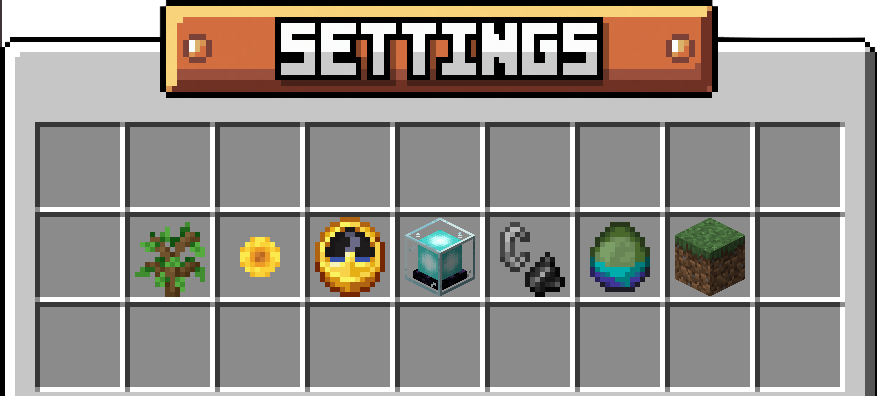
Settings can be accessed using /is settings and it allows you to change world settings for a your island. With settings, you can cycle through different weather and day cycle options including fixed time and weather, toggle the visibility of your island border wall, as well as toggle on and off fire spread, mob griefing, mob spawning and natural slime spawning. This allows for much variation in gameplay, allowing players to have full access to how their islands run, improving farming and island progress.
Biomes#
Islands support a wide range of biomes, changing everything from grass color to ambient mobs: Plains, Desert, Mushroom Fields, Cherry Grove, Taiga, Birch Forest, Dark Forest, Jungle, Swamp, Mangrove Swamp, Savanna, Badlands, and Meadow. Biomes have their own tab of the island menu, opened with /is biome. Plains is free; every other biome costs 200 Omnicoin and is bought from that tab. Once bought, a biome stays unlocked for the whole island.
Permissions#
Permissions can be accessed using /is permissions and it is used to enable and disable visiting as well as determine what a visitor is allowed to do. Permissions which can be toggled on and off include visiting, friends visit, breaking blocks, placing blocks, breaking vehicles, killing mobs, accessing containers, opening/closing doors, picking up items, dropping items, flying, and breeding/taming animals. Friends Visit lets the friends of your island's members drop by even while visiting is turned off for everyone else. By toggling a custom selection of permissions, players can showcase their islands or build elaborate adventure maps for visitors to embark on, having precise control on what they can and can't do.
On a Competitive island, only Visit, Friends Visit, Doors and Fly can be granted to visitors. Every other permission shows as Denied on Competitive.